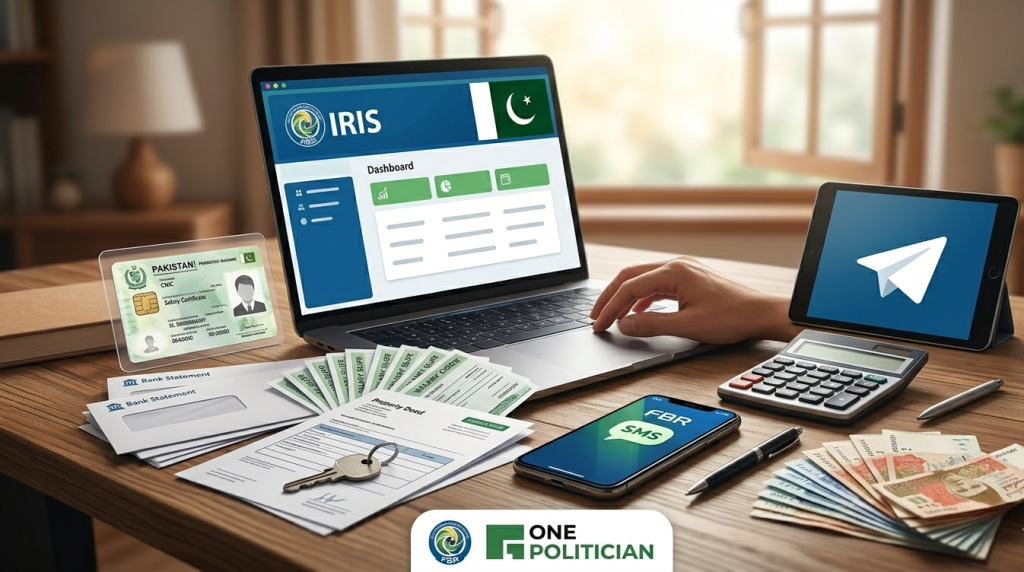
Filing your income tax return in Pakistan is easier than most people think. Thanks to the online system introduced by the Federal Board of Revenue (FBR), you can submit your return from home without hiring a tax consultant.
This step-by-step guide explains the complete process in simple language.
Who Needs to File a Tax Return?
You must file a return if:
- Your annual income exceeds the taxable limit
- You are a salaried person
- You run a business or are self-employed
- You want to become an Active Taxpayer
- You want to appear on the Active Taxpayers List (ATL)
Even if your income is below the taxable limit, filing a return helps you avoid higher withholding taxes.
Documents You Need Before Filing
Keep these ready:
- CNIC
- Salary certificate (if salaried)
- Bank statements
- Details of property (if any)
- Vehicle information
- Utility bills (if required)
- Business income details (if applicable)
Having complete data will make filing easier.
Step 1: Register on IRIS (FBR Portal)
Visit the official FBR portal (IRIS system).
If you are not registered:
- Click on Registration for Unregistered Person
- Enter CNIC number
- Provide mobile number (registered on your CNIC)
- Provide email address
- Create a strong password
After verification, you will receive login credentials.
Step 2: Login to IRIS
- Visit the FBR IRIS portal
- Enter CNIC and password
- Complete two-factor authentication if required
Once logged in, you will see your dashboard.
Step 3: Select Tax Year
- Click on “Declaration”
- Choose “Income Tax Return”
- Select the relevant tax year
For example, if filing for income earned in 2026, you will select Tax Year 2026.
Step 4: Fill Personal Information
Most information will already be available in the system.
Verify:
- Name
- CNIC
- Address
- Employer details (if salaried)
Make corrections if necessary.
Step 5: Declare Your Income
Enter income details under the relevant sections:
For Salaried Persons
- Salary income (as per annual certificate)
- Tax already deducted
For Business Individuals
- Business income
- Expenses
- Net profit
Other Income Sources
- Rental income
- Capital gains
- Foreign income
- Commission or freelance income
Make sure figures match official documents.
ALSO READ
- Social Media Mistakes That Every Politician Should Avoid
- Pakistani Politicians with Largest Fan Following
Step 6: Declare Assets and Liabilities
This is a very important section.
You must declare your current assets, such as:
- Bank balances
- Property
- Vehicles
- Investments
- Cash in hand
The system calculates itself whether your assets match your declared income.
Step 7: Tax Credits and Deductions
You can claim credits for:
- Investment in approved pension funds
- Donations to approved charities
- Life insurance premiums
This reduces your tax liability legally.
Step 8: Verify Tax Calculation
The system automatically calculates:
- Your total income
- Your tax payable
- Your already paid tax
- Balance payable (if any)
If tax is still payable:
- You can generate PSID (Payment Slip ID)
- Then, pay through bank account, Easypaisa, JazzCash or online banking
Step 9: Submit Return
Before submitting:
- Review all sections carefully
- Click “Submit”
- Enter PIN received via SMS
After submission, download the acknowledgment receipt and save it somewhere.
Step 10: Check Active Taxpayer Status
After filing:
- Your name will appear in the Active Taxpayers List (ATL)
- You will pay lower withholding taxes on:
- Property purchase
- Vehicle registration
- Banking transactions
Some of the Common Mistakes to Avoid While Submitting the Tax Returns
- Never declare incorrect income
- Never ignore the assets section
- Never forget to submit a wealth statement
- Don’t verify tax deducted at source
- Never miss the deadline
Always double-check before final submission.
ALSO READ
- List of All Chief Ministers of Sindh
- List of All Political Parties in Pakistan
- List of Most Influential Pakistani Politicians
Benefits of Filing a Tax Return
The government announces lots of benefits for active income tax filers. Such as,
- Lower withholding tax
- Legal income documentation
- Easier visa processing
- Bank loan eligibility
- Avoid penalties and notices
Being a filer provides financial credibility.
What Is The Deadline for Filing Tax Returns
The government usually announces a deadline (often September 30 for individuals), but extensions are often granted for a month.
Late filing can result in:
- Late Fee Penalties. (Normally it’s 1000 PKR for individuals and 20,000 PKR for PVT LTD companies)
- Removal from ATL
- Higher taxes on property and vehicle purchases.
ALSO READ
Conclusion
Filing your tax return yourself in Pakistan is simple if you follow the correct steps. The FBR IRIS system allows you to complete the process online without professional assistance, but if your case is complicated, you may hire Tax Consultants in Pakistan for professional help.
By maintaining proper records and declaring income honestly, you can avoid legal issues and enjoy the benefits of being an active taxpayer.


![How to Register NTN in Pakistan [Complete Guide]](https://onepolitician.pk/wp-content/uploads/2026/05/How-to-Register-NTN-in-Pakistan-Complete-Guide-300x167.webp)